mal!nkcious
3 Months
Web Extension
Cyber Security
10 min read
Role
Designer & Developer
Team
Jaen Toyoda, RG Consul
Sector
Cyersecurity, Web Security
The problem
The internet is a minefield.
Just one wrong click and... whoops! There goes all my data... and the company's data... and the organization's data 🥀
It's been widely acknowledged that malicious links (URLs) are among the most common entry points for cyberthreats today. They are widely used in phishing campaigns and social engineering attacks to trick users into revealing sensitive information or downloading malware.
A pawn in their game
Despite the advances in cybersecurity technologies, one vulnerability remains constant: the user
As cybercriminals refine their tactics, phishing and other cyber attacks become more convincing than ever.
Many organizations invest in measures that help people in recognizing these online threats, such as user awareness and cybersecurity trainings, but human error is inevitable.
What can we do about it?
mal!nkicious — making every click a little safer.
mal!nkcious (malinkcious) is a machine learning–powered browser extension that analyzes URLs in real time to help users identify potentially malicious links before they click.
Rather than replacing existing cybersecurity measures, malinkcious acts as an additional layer of protection. It provides users with immediate insight into a link's potential risk, helping them make safer decisions and reducing the likelihood of falling victim to phishing attacks and other malicious websites.
Plotting it out
The idea for this project is simple and straightforward: get a link, classify whether it's malicious or not before the user clicks it. Over the course of the project, we've anchored our decisions to satisfy these principles:
Accessibile
Simple and intuitive enough for anyone to use
Streamlined
Must cause minimal workflow disruptions
Proactive
Stop threats before they become clicks
Getting started
Simpe idea, simple solution?
Not quite. We knew we needed to get our hands messy before we could cook up a solid version of the project, but breaking out of that "simple" mindset can be difficult, especially if the solution is presented on a silver platter.
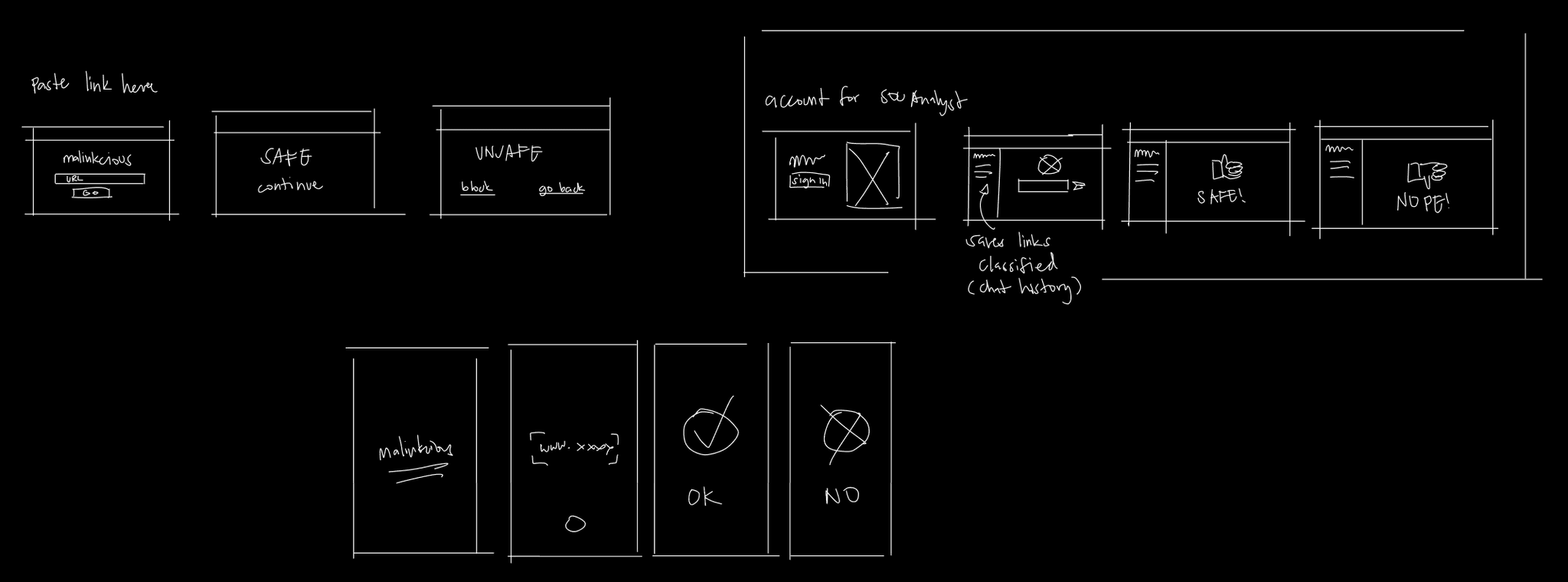
We decided to explore a few different platforms: web, desktop, and mobile. We gathered feedback from peers and the tradeoffs were clear: web works but may be disruptive, desktop is too complex, and mobile is too much work for the user. So, we pushed through with web.
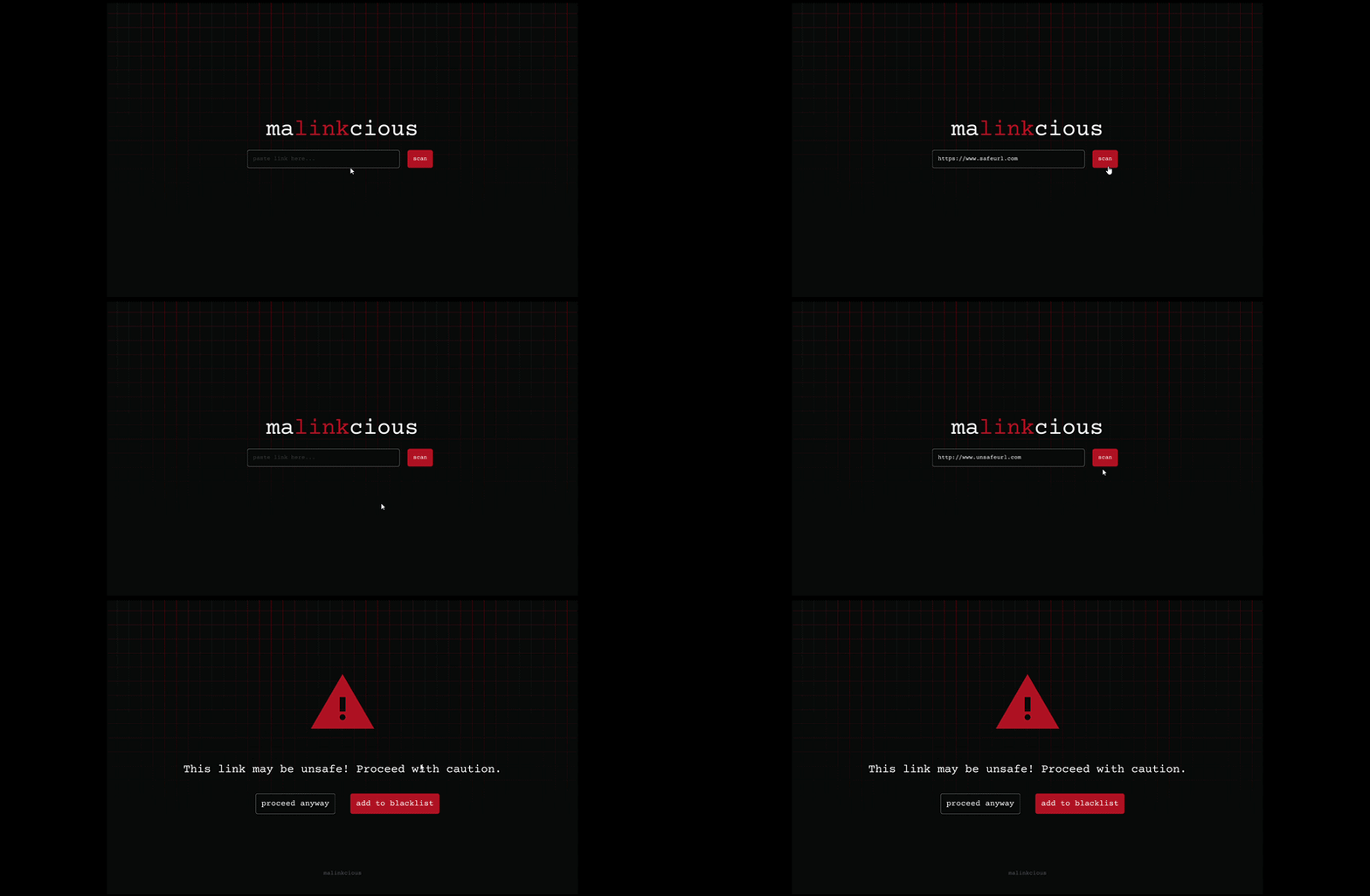
Version 1 wasn't perfect, but we were able to use it to prove our app's functionality.
"It is straightforward, but it's not very useful"
It was clear from the responses we've gathered from our initial version that there is still so much more we can do with the idea.
A recurring feedback we've received emphasizes the idea that while it is quite easy to use, they don't see the point of making the effort to use it at all.
Accessibile
Simple and intuitive enough for anyone to use
Streamlined
Must cause minimal workflow disruptions
Proactive
Stop threats before they become clicks
A new angle
We needed to understand that internet safety is not everyone's top priority. Most people at work only want to get the job done.
Since we know our process of classifying links works, we needed to find a way to get users to use malinkcious without doing extra work. An idea popped up when we asked the right question: "How can we integrate malinkcious into the webpage itself?"
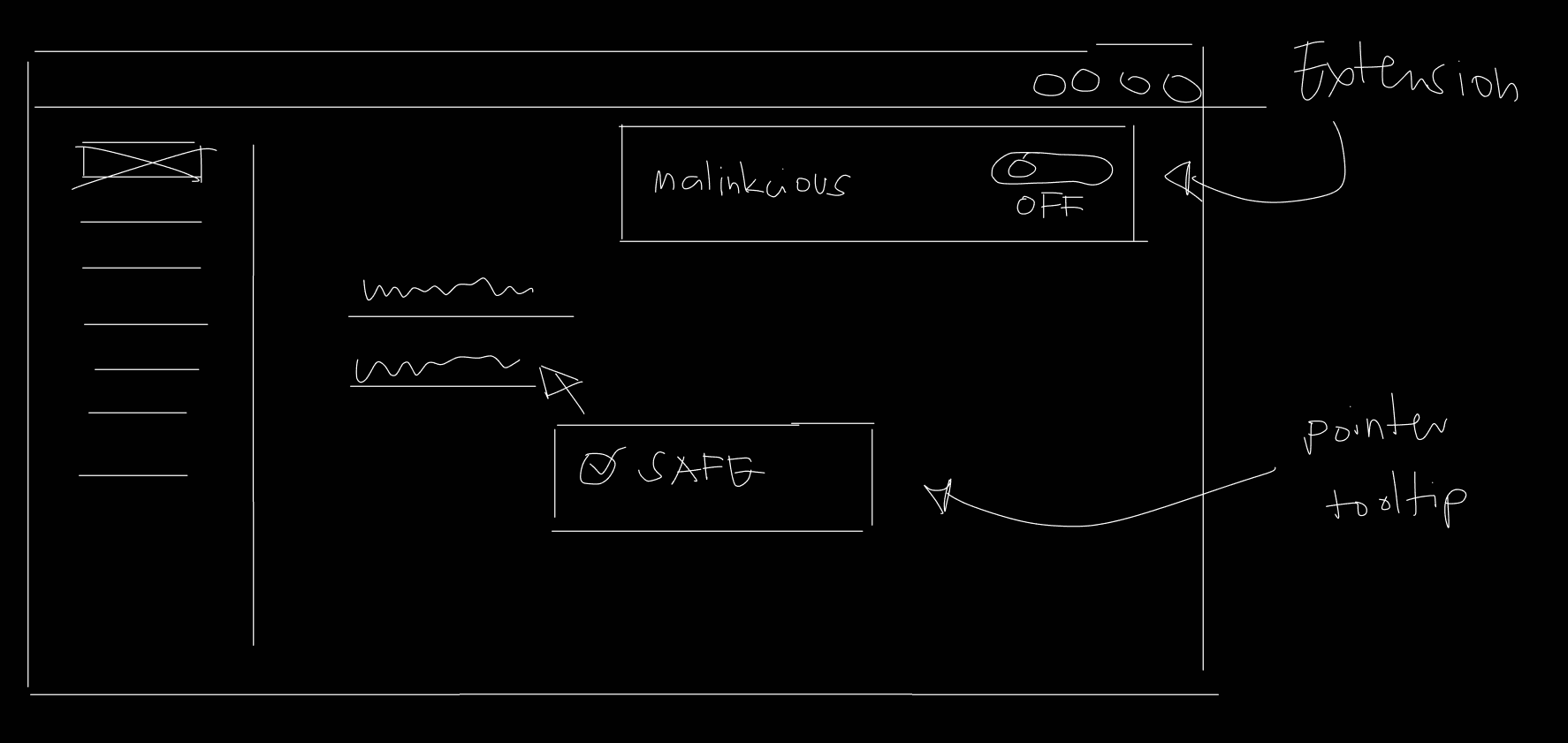
We know that the most common way a user interacts with a link is through clicks. In this sketch, the user simply has to hover over a link to check if it is safe to click.
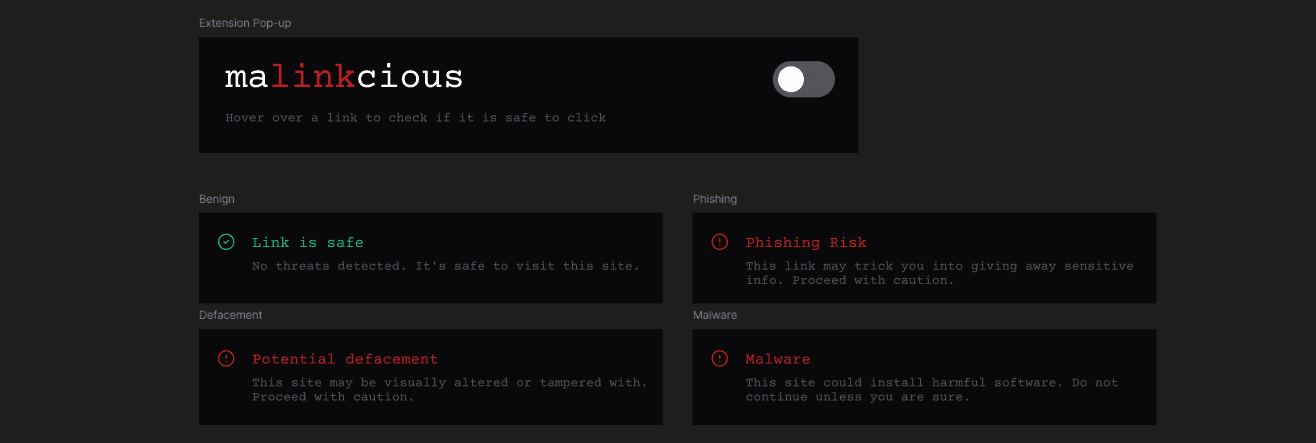
In this new design, the entire page from version 1 is narrowed down to a single switch. When the user doesn't want malinkcious working in the bacground, they can simply turn it off.
For the tooltip, we incorporated feedback from the early version, which pointed out that simply stating a link is unsafe without explaining why does not provide users with enough information.
We received a lot of positive feedback for simplifying the web app into an extension.
However, a lot of our peers suggested that we still needed to take into account the many ways a user might interact with a link.
Accessibile
Simple and intuitive enough for anyone to use
Streamlined
Must cause minimal workflow disruptions
Proactive
Stop threats before they become clicks
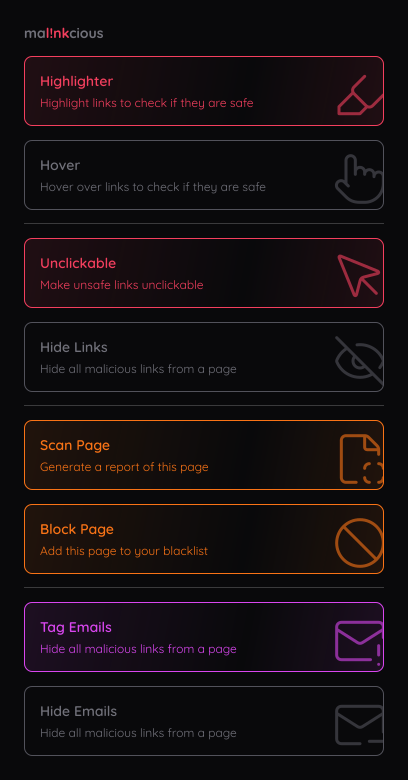
Adding more options
"In what ways can users interact with malicious links?"
To answer this question, we allowed ourselves to brainstorm and play around to come up with options that better help the user in avoiding unsafe links.
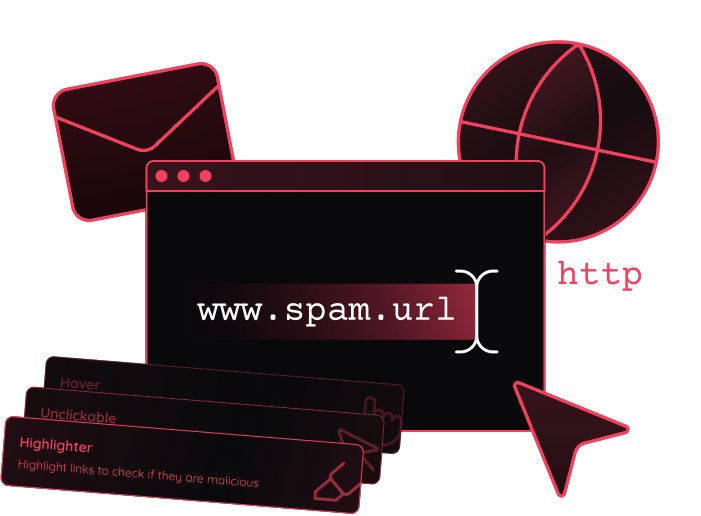
For links that aren't clickable, users can opt for the highlighter tool. Users can even disable the link fully by either making it unclickable or hide it altogether.
We've also decided to incorporate functionalities like page scanning and blocking, and tagging or hiding unsafe emails to give users more options for a more secure web browsing experience.
We also decided to play around with the look and feel of the extension, listening to the feedback gathered from our previous tests. In this new look, we changed the switch with a full button that users can click to activate or disable an option.
The things we learned
On our final demo, we received a lot of positive feedback for our design decisions. Though this project has come to its end, we know there are many more ways to explore this idea.
There are times where easy questions aren't necessarily answered by easy solutions, and we realized that by listening to feedback and gradually diving deeper into solutions that don't necessarily come as expected.
Hopefully, this project piqued your interest and I would be very eager to answer your questions if you have any! Just send me an email :)
If you wanna test the project yourself, visit our github repo.
Accessibile
Simple and intuitive enough for anyone to use
Streamlined
Must cause minimal workflow disruptions
Proactive
Stop threats before they become clicks